
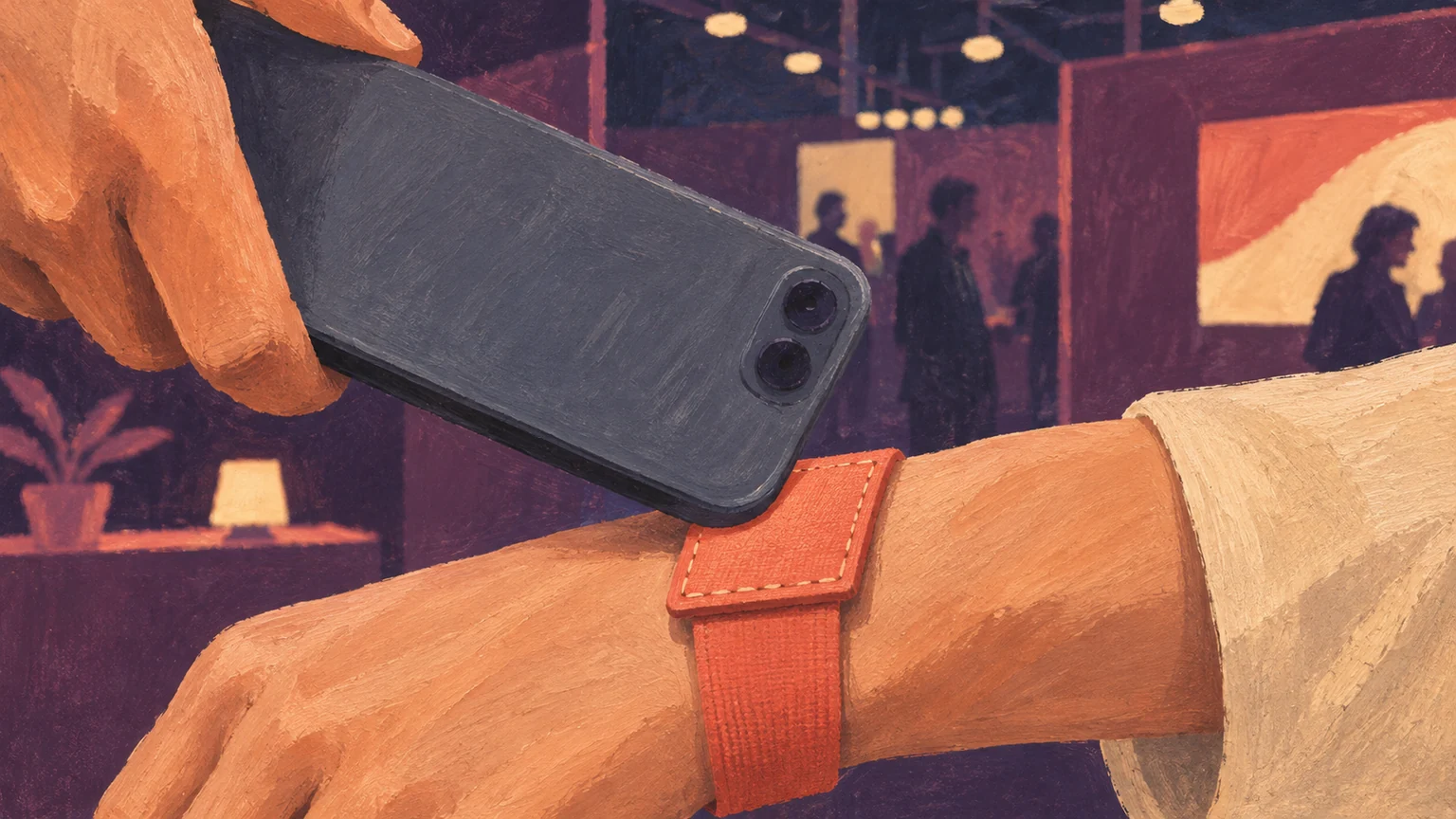
An NFC wristband can provide that connection. A participant taps the wristband with a compatible smartphone and follows a prompt to open a product page, campaign landing page, registration form, offer, video, or other digital experience.
The wristband is the physical entry point, not the campaign platform itself. The quality of the interaction depends on the NFC tag configuration, mobile-device behavior, landing page, analytics setup, and the value offered to the participant.
This guide explains how to plan an NFC wristband campaign—from choosing the interaction and URL structure to designing the user journey, measuring engagement, and testing the finished wristbands before an event.
What Can NFC Wristbands Do for Brand Activations?
NFC (Near Field Communication) is a short-range wireless technology that allows compatible devices to exchange small amounts of data with an NFC tag. For a common marketing use case, the tag stores an NDEF URL record. A compatible phone reads the record and presents the associated link to the user.
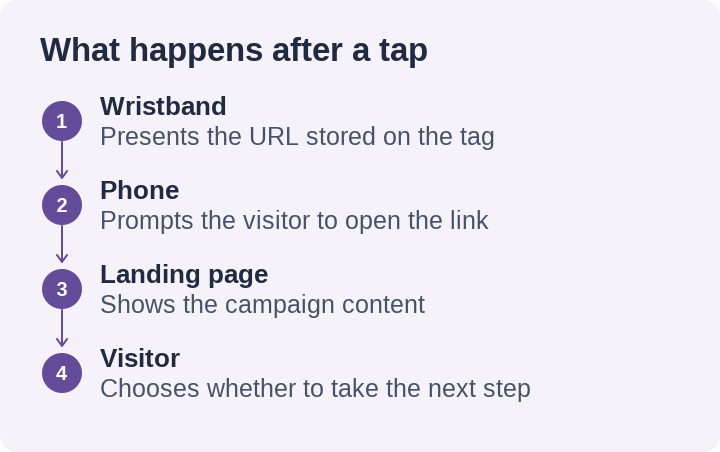
A basic campaign flow looks like this:
NFC wristband → smartphone → campaign landing page → user action
The action might be viewing a product demonstration, registering for a giveaway, downloading a brochure, redeeming an offer, or exploring event content.
| Campaign objective | Possible NFC interaction | What the brand can measure |
|---|---|---|
| Product awareness | Tap to view product details or a video | Landing-page sessions and content engagement |
| Lead generation | Tap to open a registration or inquiry form | Form starts and completed submissions |
| Event participation | Tap to join a game, poll, or activity | Participation events and completed actions |
| Offer distribution | Tap to view a coupon or promotion | Offer views and verified redemptions |
| Sponsored experience | Tap to access sponsor content | Visits and CTA interactions |
| Post-event engagement | Tap to view highlights or future events | Return visits and follow-up actions |
The tag does not automatically collect a person’s identity, complete a purchase, publish to social media, or record every action they take. Those functions require the relevant website, application, account system, consent flow, or campaign platform.
Start With the Campaign Objective
Before choosing the wristband or chip, decide what the participant should do after tapping. A clear objective helps keep the interaction useful and prevents the wristband from becoming a novelty that opens a generic homepage.
Product launches
At a product launch, a wristband can link participants to product information, a demonstration video, technical specifications, a launch offer, or a booking form.
For example, a visitor at a product display could tap the wristband to open a mobile page with the product overview and a clear next step, such as “Book a Demo” or “Download the Product Guide.”
If different product zones need different content, each zone can use a separate NFC touchpoint. A single shared wristband URL, however, will not identify which physical display the participant visited unless the campaign adds a separate identifier or scanning point.
Trade shows and exhibitions
At a trade show, NFC wristbands can make it easier to reach product catalogs, technical documents, appointment forms, and demonstration bookings.
A brand might use different touchpoints for different product categories. A visitor taps at the product display to open the relevant information page, then taps at the meeting desk to access a consultation form.
If the goal is to attribute interest to a particular product area, plan the tracking structure before the event. Separate URLs, campaign parameters, or logged touchpoint IDs can help distinguish interactions. A generic shared URL cannot provide that level of attribution by itself.
For staff who share their own contact details at the booth, see digital business card wristbands for trade show teams.
Festivals and sponsored events
At a festival or sponsored event, NFC wristbands can connect participants to artist information, sponsor offers, playlists, interactive games, event schedules, photo galleries, or exclusive content.
The most effective interactions fit naturally into the event. A tap should provide something relevant at that location—such as an offer at a sponsor booth or a schedule at an information point—rather than sending every participant to the same broad marketing page.
Retail promotions and pop-up experiences
For a pop-up store or retail activation, an NFC wristband can open product stories, limited-time offers, membership information, or a post-visit page.
If the campaign will run for several weeks, a brand-controlled URL can make the physical wristband reusable across different content phases. The destination can be updated on the server without rewriting every tag, provided the wristband stores the redirect URL rather than a fixed final destination.
Design the User Journey Before, During, and After the Event
A campaign should be planned as a sequence, not as a single tap.
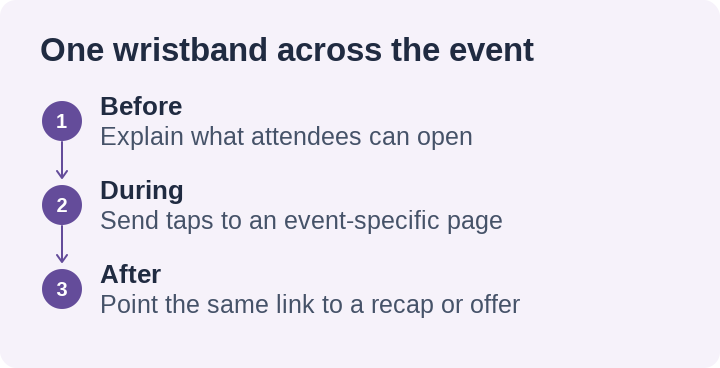
Before the event: build awareness and explain the interaction
If wristbands are distributed before the event, use the invitation or packaging to explain what participants can do with them. A short instruction such as “Tap to view your event guide” is more useful than a technical explanation of NFC.
Pre-event content might include registration confirmation, event schedules, a preview video, or practical arrival information. Keep the first interaction simple and make sure the landing page works on mobile.
During the event: connect physical touchpoints with relevant content
At the venue, place touchpoints where the digital content adds value. Examples include a product display, sponsor booth, photo area, information desk, or VIP zone.
Use a clear call to action near each touchpoint:
- Tap to explore the product
- Tap to unlock event content
- Tap to claim the offer
- Tap to book a demonstration
The promise should match the page that opens. Avoid asking users to tap for a reward and then sending them to a generic homepage with no visible reward.
After the event: keep the relationship useful
After the event, the same wristband may continue to provide access to event photos, product information, a follow-up offer, or details of the next event.
A brand-controlled redirect URL can support this transition. During the event, it may point to a live campaign page; afterwards, the same URL can lead to a recap or follow-up page.
This does not automatically identify the participant or prove that the same person returned. It simply allows the destination content to change while the physical tag remains unchanged.
Static URLs, Unique IDs, and Redirect Links
The URL strategy affects what a campaign can measure and how easily its content can be updated. Choose it before encoding the wristbands.
One static URL for every wristband
In the simplest setup, every wristband contains the same URL. This is suitable when all participants should reach the same page and the brand only needs aggregate website analytics.
Advantages include straightforward encoding, easier bulk preparation, and simple campaign maintenance.
The limitation is attribution. If every wristband points to the same address, a website visit does not reveal which physical wristband generated it. Standard analytics may report visits and sessions, but they cannot distinguish individual wristbands unless another identifier is added.
A unique URL or identifier for each wristband
For more granular tracking, each wristband can contain a different URL or a unique token that the website records.
For example:
https://brand.example/tap?id=K7P4https://brand.example/tap?id=M2Q8https://brand.example/tap?id=R9W3
The identifier should be random or otherwise non-sensitive. Do not place a participant’s name, email address, phone number, or other personal information directly in a publicly readable URL.
A unique tag ID can help count interactions by wristband. It does not prove the identity of the person wearing it. To associate an interaction with a named participant, the campaign needs a separate registration or account process and an appropriate privacy notice.
A brand-controlled redirect URL
A redirect URL is useful when the campaign destination may change. The NFC tag stores a stable address on a domain controlled by the brand. The server then sends the visitor to the current destination.
This can support campaign phases, product updates, and post-event content without rewriting every tag. It can also preserve campaign parameters or a tag identifier if the system is designed to do so.
Before production, test the redirect, confirm that HTTPS is enabled, and decide who will maintain the destination after the event.
Choose the NFC Tag and Encoding Approach
For a common “tap to open a webpage” experience, the tag is usually encoded with an NDEF URI record. NDEF is a standard format used to store and exchange data on NFC tags. Android’s NFC documentation describes how Android handles NDEF messages, while Apple documents background tag reading and the URL records supported by compatible iPhones.
The right tag depends on the data to be stored, the wristband construction, and the intended interaction.
Check the data requirement first
If the campaign only needs one short URL, a basic NFC tag may be sufficient. If the URL includes long parameters or the tag needs to store additional records, check the available user memory before choosing a chip.
For example, NXP’s NTAG213, NTAG215, and NTAG216 product family offers different user-memory capacities. The required capacity should be checked against the actual NDEF message, not estimated from the URL’s visible character count alone.
Do not select a chip solely because it is familiar. Confirm the chip model, memory, tag type, encoding format, and the supplier’s available wristband construction.
Decide whether tags should be writable or locked
If the brand may need to update the tag content after production, confirm that the tag remains writable and establish who controls the encoding process.
If the URL is final and the project requires protection against casual rewriting, a write-protection setting may be considered. Some locking operations are irreversible, so complete sample testing before enabling them.
For campaigns that need flexible destinations, a stable redirect URL is often easier to maintain than repeatedly rewriting the physical tag.
Confirm the wristband can be encoded as designed
The NFC inlay, antenna, chip position, and wristband material all form part of the finished product. Ask for a sample using the intended construction and test it after assembly—not only as a loose inlay.
If every wristband needs a different URL or identifier, confirm the data format, numbering method, encoding process, and verification report before approving mass production.
Smartphone Compatibility and the Tap Experience
A successful campaign must work with the phones participants are likely to carry. NFC support and the user experience vary by device, operating system, settings, and tag format.
On supported iPhones, background tag reading can detect compatible NFC tags and display a notification. The user generally needs to tap that notification to continue. Apple also documents situations in which background reading is unavailable.
Android devices support NFC tag reading, including NDEF messages, but behavior can vary by device and software version. The campaign should not promise that every phone will automatically open a webpage immediately after a tap.
Before the event:
- Test current iPhone models used by the target audience.
- Test a representative range of Android phones.
- Confirm that NFC is enabled where required.
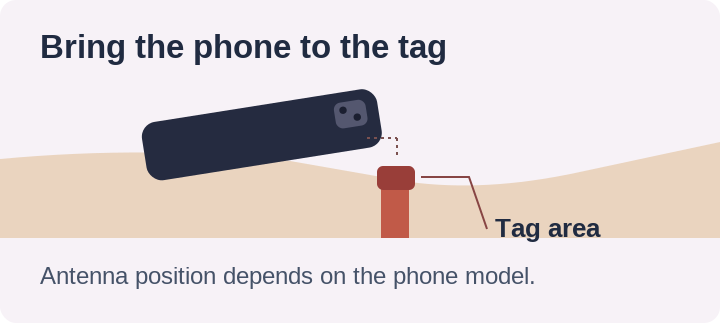
- Check the location of the phone’s NFC antenna.
- Test the wristband while it is being worn.
- Confirm the URL opens correctly in a mobile browser.
- Provide a QR code or short URL as a backup.
The physical tap should be easy to understand. A small “Tap Here” mark or instruction at the venue can improve discovery, especially for participants who have not used NFC wristbands before.
Choose a Wristband That Fits the Campaign
The wristband should suit the event duration, wearing conditions, branding requirements, and distribution method.
| Wristband type | Potential campaign fit | Points to consider |
|---|---|---|
| Elastic NFC wristbands | Brand activations, product launches, promotional events | Fit, comfort, tag integration, artwork, and repeated wear |
| Silicone RFID/NFC wristbands | Reusable brand experiences and selected long-term programs | Molded design, sizing, cleaning, and finished-product testing |
| Fabric RFID wristbands | Festivals, sponsored events, and multi-day programs | Artwork, closure, comfort, and expected wear period |
| Disposable wristbands | Single-day promotions and temporary access | Closure, distribution speed, and single-use requirements |
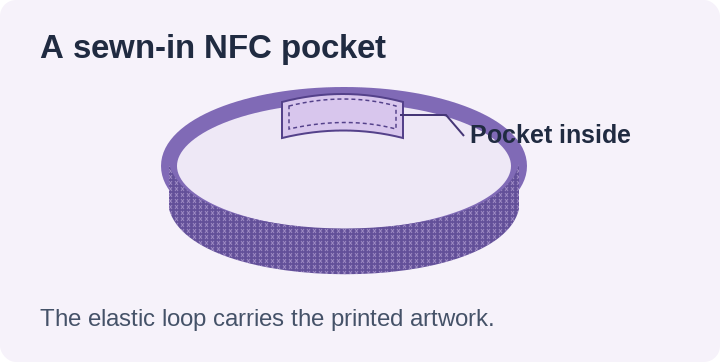
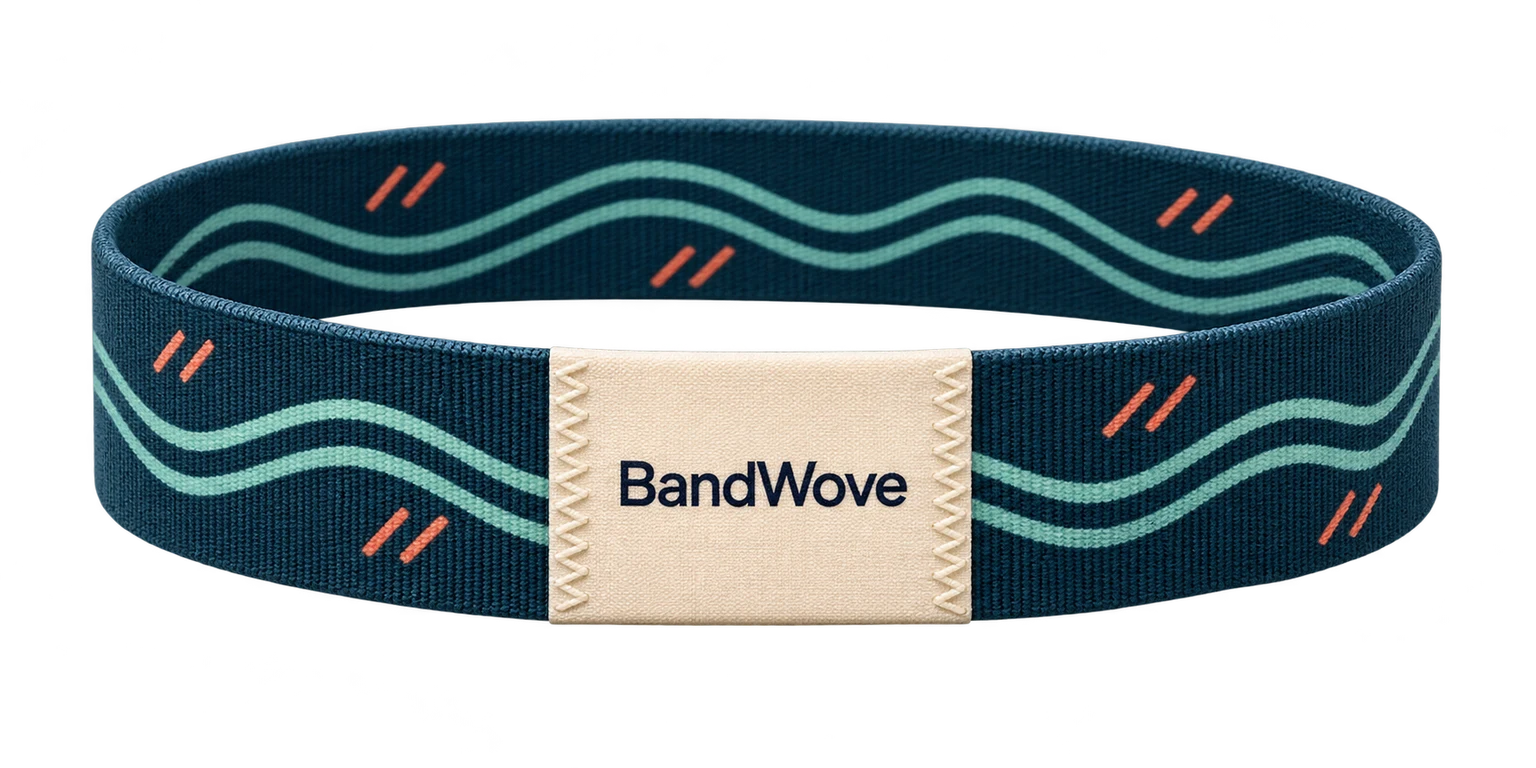
For a branded campaign, the wristband is also part of the visual identity. Consider color, printed or woven artwork, logo placement, tag location, closure, and how the wristband looks in event photography.
BandWove’s custom elastic NFC wristbands can be reviewed as one product direction. For a campaign that opens a URL, look at how the embedded tag sits against the wrist and how easily guests can tap it with a phone.
Measure Engagement Without Confusing Taps With Conversions
A high tap count does not automatically mean a successful campaign. Decide what success means before launch and make sure the landing page records the actions that matter.
| Metric | What it tells you | Important limitation |
|---|---|---|
| Wristbands distributed | How many credentials were issued | Does not show how many were used |
| Total taps | Number of recorded tag interactions | One person may tap several times |
| Unique tag IDs | Number of distinct wristband identifiers seen | Does not identify a person by itself |
| Landing-page sessions | Visits to the campaign page | A session is not necessarily a unique attendee |
| CTA clicks | Interest in the next action | A click may not complete the action |
| Form completions | Completed registrations or inquiries | Quality depends on the form and follow-up |
| Offer redemptions | Offers actually used | Requires a redemption or validation process |
| Post-event visits | Continued activity after the event | Needs a suitable measurement window |
If every wristband shares one URL, the campaign can measure overall page traffic but cannot reliably attribute visits to individual wristbands. Unique IDs and event logs track individual bands. Linking a band to a person requires a separate registration.
Use a simple dashboard that connects the campaign objective to the right metric. For lead generation, completed and qualified forms may matter more than taps. For awareness, relevant page views or video engagement may be more useful. For a coupon campaign, verified redemptions are more meaningful than coupon-page visits.
Privacy, Consent, and Data Handling
NFC is a way to exchange data at short range; it is not consent to collect personal information.
If a campaign asks participants to submit contact details, subscribe to marketing, upload a photo, or connect an account, explain what data is collected and why. Obtain the required consent for the relevant activity and follow the privacy and marketing rules that apply to the event’s location and audience.
Use non-sensitive random identifiers in URLs. Keep personal information in the appropriate backend system, restrict access, and define how long campaign data will be retained.
Also distinguish between anonymous tag interaction and identified participation. A tap may record that a tag was read, but it does not automatically reveal who held the wristband.
Test NFC Wristbands Before the Campaign
A pre-production test should use the finished wristband, encoded as it will be delivered, and the phones expected at the event.
Use this checklist:
| Test | What to verify |
|---|---|
| Chip and NDEF format | The tag contains the intended record and URL |
| URL destination | The link uses HTTPS and opens the correct page |
| Mobile layout | The landing page works on common phone screen sizes |
| iPhone behavior | Supported devices read the tag and show the expected prompt |
| Android behavior | Representative devices read and handle the tag correctly |
| Tag placement | The wristband can be tapped comfortably while worn |
| Read consistency | Repeated taps work under normal event conditions |
| Unique ID mapping | Each encoded wristband matches the correct backend record |
| Write protection | Any locking setting behaves as intended |
| Analytics | Tap events, sessions, and conversion events are recorded correctly |
| Backup route | A QR code or short URL is available if NFC cannot be used |
For large campaigns, test samples from the actual production process. A loose NFC inlay may perform differently after it is integrated into the final wristband.
Frequently Asked Questions
Do NFC wristbands require a mobile app?
Not necessarily. A wristband encoded with a compatible NDEF URL can open a web destination on supported phones without requiring a dedicated campaign app. The exact user experience depends on the phone, operating system, settings, and tag format.
Can every smartphone read an NFC wristband?
No. NFC support and tag-reading behavior vary. Test a representative selection of iPhone and Android devices and provide a QR code or short URL as an alternative.
Can every wristband have a unique URL?
Yes, if the production and encoding process supports individual data. Each tag can contain a unique URL or identifier, but the backend must be configured to record and interpret it.
Does a unique NFC ID identify the person wearing the wristband?
No. It identifies the tag or credential, not automatically the person. A separate registration or account process is needed to associate the tag with an individual.
Can the content be changed after the wristbands are produced?
If the tag contains a brand-controlled redirect URL, the destination can be changed on the server. If it contains a fixed final URL, changing it may require rewriting the tag, provided the tag is still writable.
Can NFC wristbands track how many people visited each booth?
They can support that measurement if each booth has a distinct touchpoint or URL and the campaign logs the interactions. A single shared URL used everywhere will not distinguish booth locations by itself.
Should an NFC campaign provide a QR alternative?
Yes. A QR code or short address gives participants another route when their phone cannot read the tag. Test the same destination through both.
What should we check before encoding the campaign batch?
Check the destination domain, mobile page, longest encoded link and tap position. Include representative phones and the complete sign-up or offer flow.
Does every NFC tap appear in website analytics?
No. A tag read and a loaded web page are different events. Network failures, browser behavior and consent choices affect recorded visits.
Who should control the campaign’s destination domain?
Keep control with the brand or its agreed operator. A maintained redirect gives the campaign a stable entry point after the original offer ends.
Technical References
For implementation details, consult the documentation for the target phones and the exact tag IC selected for the project:
- Apple Developer: Adding Support for Background Tag Reading
- Android Developers: NFC Overview
- NXP: NTAG213/215/216 Product Information and Data Sheet
These documents explain platform-dependent tag reading, NDEF handling, and differences in the NTAG21x family. Always confirm the current documentation and the exact chip specification used in the finished wristband.
Create Custom NFC Wristbands for Your Brand Activation
An NFC wristband can connect a physical brand experience with digital content, but the campaign needs more than a tag. The interaction should match the marketing objective, the landing page should deliver the promised value, and the tracking plan should measure meaningful actions without overstating what a tap can prove.
When requesting a quote, prepare:
- Campaign type and marketing objective
- Estimated wristband quantity
- Preferred material, color, and artwork
- Required chip or tag type, if specified
- Whether all wristbands use one URL or unique identifiers
- Whether encoding or data matching is required
- Target phone types and expected user interaction
- Event dates and any special wearing conditions
For chip selection, see NTAG213 vs. NTAG424 DNA. Review customization options and events and festivals wristband applications, then contact BandWove about your NFC wristband project.