
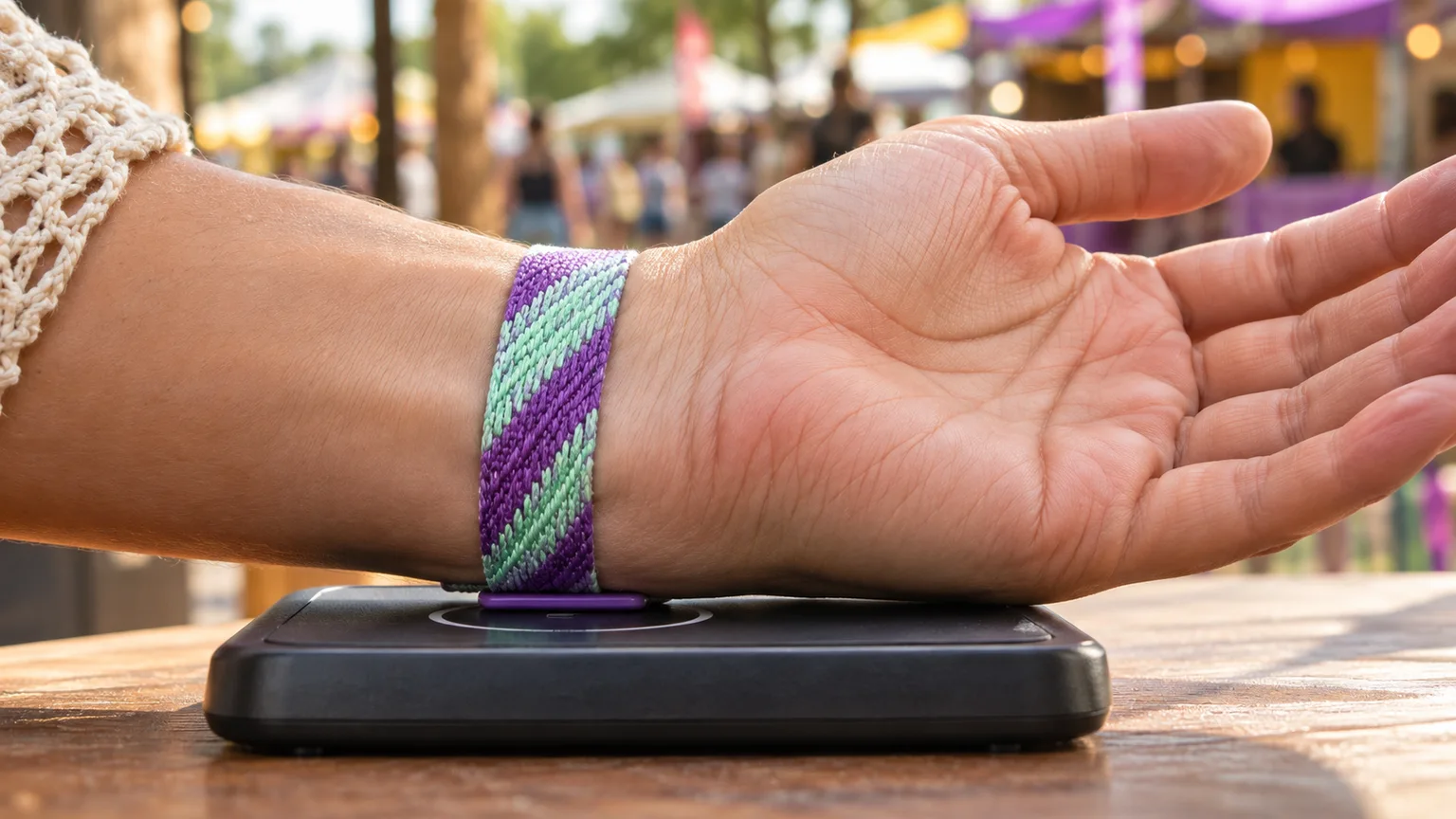
What happens when you tap the wristband?
The vendor enters the sale at a point-of-sale (POS) terminal. A compatible reader detects the radio-frequency identification (RFID) credential in your wristband. The payment system uses that credential to identify the balance or linked payment method for the purchase. The vendor sees whether the sale went through.
The entrance gate and the vendor terminal can recognize the same wristband for different purposes. The gate checks admission. A vendor terminal checks whether it can complete a purchase. If you got into the festival but cannot buy anything, look for the event’s payment setup instructions before assuming the band is broken. For a closer look at the exchange between the tag, reader and software, see how RFID wristbands work.
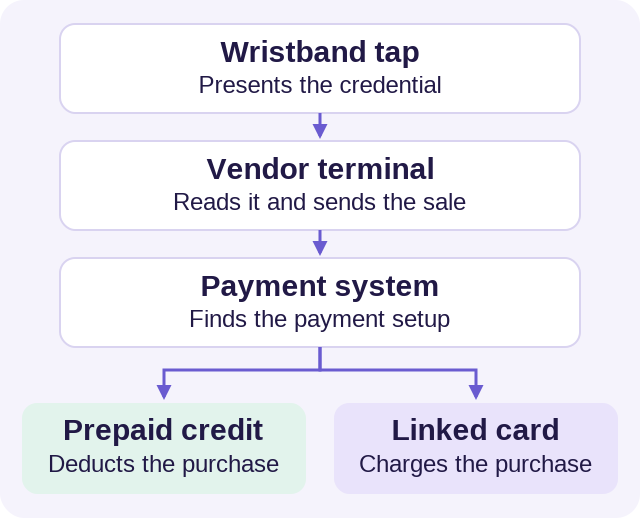
Do you top up the wristband or link a bank card?
Start on the official festival website or app. Look for words like top up, add credit, activate or link a card. The instructions tell you which step to take. The material, color and chip symbol on the band do not tell you which payment arrangement is in use.
| Step | Prepaid event balance | Linked bank card |
|---|---|---|
| Before a purchase | Add credit through the event’s approved channels. Check whether you can top up before collecting the band. | Register the wristband and link an accepted card through the event’s approved channel. |
| At the vendor | The sale reduces the available event balance. | The purchase is charged through the linked payment method. |
| After the event | Check whether unused credit can be refunded and what you need to do to claim it. | Match purchases to receipts or statement entries. Use the event’s payment support process for an incorrect charge. |
Prepaid balance
A top-up is a payment to add credit before you spend it. Depending on the event, you might add credit online, at a staffed counter or at a self-service station. Find out what the station accepts before you queue. An event can let you pay cash at a top-up counter while requiring the wristband at participating vendors.
If you paid before arrival, check which ticket or account the top-up belongs to. An event might use the ticket to find the prepaid balance and associate it with a wristband when you collect it. If you add credit later, the printed reference on the wristband may be used to identify the correct account. Keep your top-up confirmation until you can see or verify the balance. Weezevent’s cashless account guide illustrates both registration paths.
At Camp ACC and Lake Aurora, a parent can fund a camper’s account before arrival. At the store, staff scan the camper’s wristband to charge a purchase. How two summer camps handle prepaid spending
Linked card
In a linked-card setup, activation associates the wristband with a payment method. You can then make a purchase without first choosing a prepaid amount. Read the activation confirmation and check whether the event offers a receipt by email or in an account. That record is useful if the bank statement appears later and you cannot remember which vendor made the sale.
Billfold’s attendee guide describes a linked-card setup and a separate way to preload cash. If your event offers both, check which arrangement you used before looking for a balance or asking for a refund. A card payment you made at a top-up counter may be the purchase of prepaid credit. It does not necessarily mean that you linked the card for later purchases.
When a payment fails or the result is unclear
Ask the vendor what the terminal showed. A reader that did not detect the wristband, a declined purchase and an unclear transaction status call for different checks.
- The reader did not detect the band. Follow the vendor’s instructions for where to hold it. If the same band still fails at an authorized support station, ask staff to inspect the credential or replace it under the event’s policy.
- The band was read but the sale was declined. Check the available credit if you prepaid. If you linked a card, look for the activation confirmation and check whether the intended card is still associated with the band. Tell staff which setup you used so they can direct you to the right support desk.
- The result is unclear. Ask whether the sale was recorded before tapping again. Note the vendor, approximate time and amount. If you later see two entries, those details help the vendor or event support identify the transactions.
A card notification after a top-up only confirms what the notification describes. If your wristband balance still looks wrong, have support check the top-up and the wristband association separately. Repeating the same payment may create another top-up while leaving the original problem unresolved.
During an outage, ask staff whether the vendor can continue to accept the wristband or whether another payment option is available. Offline operation depends on the event’s system and how the terminals are configured.
If you lose your wristband
Report the loss to official guest services as soon as you can. Bring whatever the organizer uses to look up your issue record, such as the ticket confirmation, wristband reference or last receipt. Ask whether staff can block the original band and what is needed to issue another. If the band also controls admission, have staff confirm how the replacement affects entry and any access permissions.
For prepaid credit, ask whether the event can recover the remaining balance from the original record. For a linked card, ask how to disable the old association and set up the replacement. Billfold’s lost wristband guidance describes blocking a band in its POS system. Recovery options depend on what the organizer can verify and the policy for that event.
Unused credit and incorrect charges after the festival
If you prepaid, check the event’s refund instructions before discarding the band. Find out whether a request is required, where to make it and when the request window closes. Keep the printed reference and your top-up receipt until the process is complete. Some organizers require an account to claim the remainder. Being Gathering’s 2026 cashless instructions provide one example of that requirement.
For example, suppose you add $40 in festival credit and spend $28. The $12 left is unused credit. Whether and how you can reclaim it depends on that event’s terms. If you linked a bank card and the same $28 was charged directly, there is no unused portion of that purchase to reclaim. An incorrect amount or a purchase you did not receive is a question about the recorded sale. Keep the receipt and contact the vendor or the event’s payment support through the published channel.
Before leaving, check whether you can still access the cashless account, find the wristband reference and pull up a recent receipt. Having those details on hand makes it easier to report a missing top-up or an incorrect charge once the event’s on-site desks have closed.
Where to find your transaction record
At the 2026 24 Heures Camions in Le Mans, the organizer explained that guests received a payment wristband at the circuit, could add credit before or during the event, and could consult the balance and transaction history. Remaining credit was eligible for a refund under the event’s conditions. Check your own event’s refund page while you still have the band and the purchase details handy. 24 Heures Camions ticketing FAQ.
If you operate the tills or manage the event wallet, the organizer’s guide to closed-loop RFID wristband payments follows a top-up, a sale, a correction and a refund through the event records.
What organizers should tell guests
Publish a short payment walkthrough before gates open. Show guests whether to top up or link a card, how they can confirm setup, and which locations accept the band. If a first-time guest has to switch between the ticket site, a payment account and an on-site counter, name each handoff and explain what reference to bring.
Give staff a clear way to distinguish a reader problem from a missing top-up or a disputed charge. For a prepaid setup, tell guests what to keep for a refund and where to find the deadline. For a linked-card setup, make the receipt and dispute instructions easy to find after the event. Use the same terms on signs, at the vendor terminal and in the event FAQ so a guest can describe the problem without knowing how the wristband works.
For the physical bands, artwork versions and arrival planning, see our custom RFID wristbands for music festivals.
Sources
- Weezevent: cashless account setup, top-ups and refunds
- Billfold: card linking, transactions and lost wristbands
- Being Gathering: an organizer’s prepaid cashless process
References checked November 9, 2026.