
BandWove Studio · Free online design tool
Your wristband.
Your artwork.
Design printed fabric, elastic, silicone and disposable wristbands. Add your logo, edit text and colors, and use artwork rules matched to your product.
No account needed. Save and export in your browser.

A starting point for your event.
Five original fabric designs. Find more product-specific templates in Studio.









From template to your design.
Three steps, with your editable artwork kept along the way.
- 01
Choose a Template
Start with an original design or open your saved BandWove project.
- 02
Customize Your Artwork
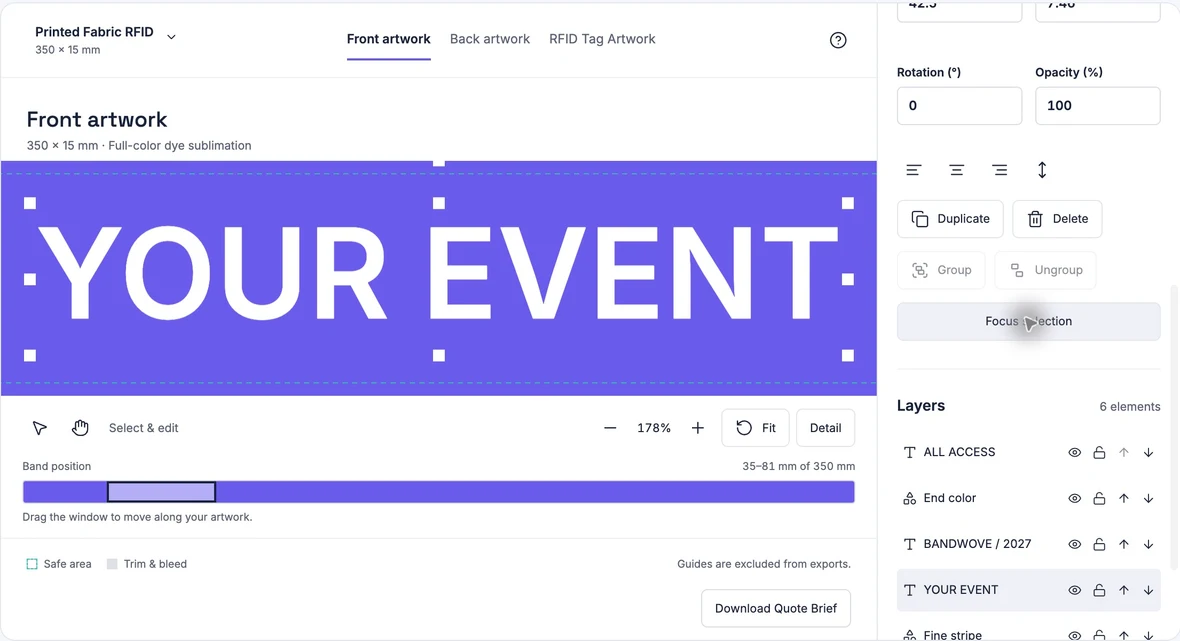
Choose the product and process. Edit logos, text, colors and layers on its supported artwork surfaces.
- 03
Save & Export
Keep the editable project. Download PNG or SVG artwork for each surface.
The details are yours.
- Product-specific artwork surfaces
- Fabric has front, back and separate PVC tag artwork. Elastic has outside and inside artwork; silicone and disposable use their own layouts.
- Your logo, words and colors
- Upload PNG, JPG or validated SVG. Move, resize and rotate editable text and graphic layers.
- Sizes matched to the product
- Keep fabric at 350 × 15 or 20 mm, or choose the loop and flat formats offered for the other products. Changes keep artwork at its physical size.
- An editable master to keep
- Local draft saving, a downloadable project and independent PNG/SVG exports. Reopen your project to continue.
Before you start.
A few useful answers about designing and saving.
Is BandWove Studio free to use?
Yes. The current browser editor is free to use, with no account required. You can edit artwork and download your project, PNG previews and SVG files without payment. Ordering custom wristbands is a separate enquiry.
Which wristband can I design?
Choose printed fabric RFID, elastic NFC, silicone RFID or disposable RFID. Each product has its own sizes, artwork surfaces and process rules. Woven yarn artwork is not included.
Can I design both sides and the RFID tag?
Printed fabric has separate front, back and 35 × 25 mm PVC tag artwork. Elastic uses outside and inside artwork. Silicone and disposable designs use the surfaces supported by their selected construction; they do not inherit a separate PVC tag.
Can I upload my own logo?
Upload PNG or JPG files, including transparent PNG artwork. Simple SVG files are supported after validation; SVG lettering must be outlined, with no external images or linked fonts. The upload limit is 12 MB per file.
How do I save and continue later?
Your draft saves locally in this browser. Download a BandWove project file to keep every layer and original upload, then use Open project to resume on another device. PNG and SVG exports are separate artwork files; they do not replace the editable project.
Are the exports ready for printing?
PNG and SVG exports are design artwork for review, not a guarantee of print readiness. SVG text is outlined and images are embedded. Check the order proof for the final dieline, print arrangement and hardware placement. Request a Quote connects your editable project and artwork previews to the quote form.
Make it your wristband.
Start with a template. Leave with a design you can keep editing.